PowerPoint 2003
Adding AutoShapes, WordArt, and Hyperlinks

Introduction
By the end of this lesson, you should be able to:
- Insert an AutoShape
- Insert WordArt
- Insert a hyperlink
Inserting an AutoShape
PowerPoint provides many different items you can use to enhance your slides. For example, an AutoShape can be a useful graphical element. AutoShapes include lines, arrows, banners, stars, and other shapes you can add to your presentation.
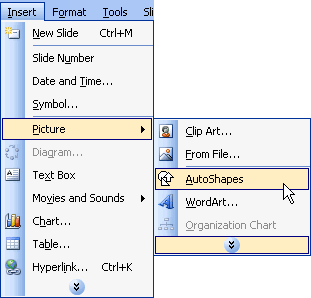
To insert an AutoShape:
-
Click
Insert
 Pictures
 AutoShapes
.
AutoShapes
.
- A small AutoShapes toolbar appears.
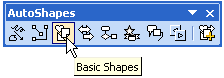
- Click the various options, and a list of AutoShapes appears.
- Choose the one for your presentation.
- To format an AutoShape, right-click it and choose Format AutoShape .
- A dialog box appears with various formatting options.
OR
- Insert AutoShapes by clicking the Drawing toolbar at the bottom of the PowerPoint screen. A list of options appears.
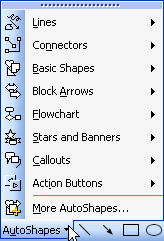
 You can click and drag an AutoShape to increase its size, and you can add text by choosing
Insert
You can click and drag an AutoShape to increase its size, and you can add text by choosing
Insert
 Text Box
.
Text Box
.
Inserting WordArt
WordArt is colorful and artful text that is available in a variety of styles. It allows you to create interesting titles, logos, and text in your PowerPoint presentation.
To insert Word Art:
- Click the WordArt button on the Drawing toolbar .

- The WordArt Gallery appears.
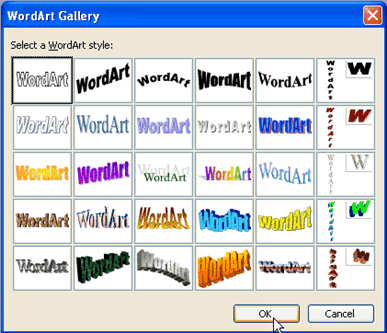
- Choose the WordArt that best fits your slide presentation.
- Click OK .
- When the Edit WordArt Text dialog box appears, click Your Text Here to add text. Type the text for your slide. You can also make any formatting changes to your font.
- Click OK .
- The WordArt appears in your slide. You can drag it to where you want it to appear on your slide.
OR
-
Click
Insert
 Pictures
 Word Art
.
Word Art
.
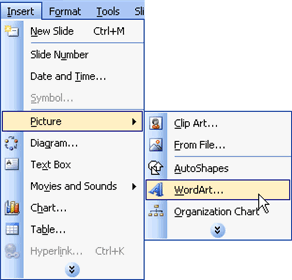
OR
-
Click
View
 Toolbars
 WordArt
.
WordArt
.
Inserting a hyperlink
PowerPoint also allows you to add hyperlinks to your slides to make them more interactive. A hyperlink can link to a website, which provides more information for your presentation.
To insert a hyperlink:
- Select the text in your document that you want to be a hyperlink, such as www.gcflearnfree.org or Free Computer and Career Classes.
- Click the Hyperlink button on the Standard toolbar .
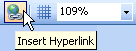
(If this button does not show up, you may want to add it to your toolbar by clicking the down-pointing arrow at the end of the bar to display Toolbar Options. Click Insert Hyperlink to add the button to your toolbar.)
- Click the Existing File or Web Page button .
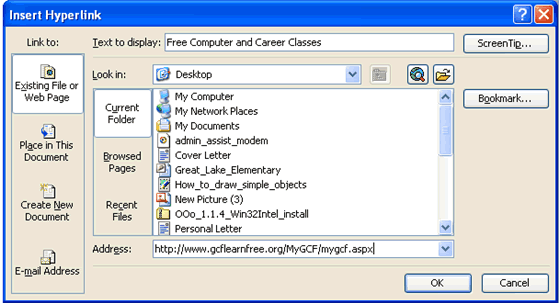
- Type any text you want to display. This type will display instead of the web address.
- Click OK .
 To make sure the hyperlink works, click the
Slide Show button
and click the link on the slide.
To make sure the hyperlink works, click the
Slide Show button
and click the link on the slide.
Challenge!
- Open the My Hobbies presentation.
- Insert a new Title Only slide. This is your sixth and final slide.
- Type a title for the slide. You may want to make this slide about the final hobby you have listed.
- Insert a text box , and type any necessary information related to the topic of the slide.
- Insert an AutoShape , WordArt , or hyperlink onto the slide.
- Save and close the presentation.
The challenge presentation about your hobbies is now complete. The presentation should have a total of six slides, with information about the things you do in your free time.